Commands - Armoury View Menu
This page outlines the armoury view menu which is part of the Armoury Module, accessible through /armoury view
Mode Button
The mode button spawns a dropdown menu with options for the types of display:
| Mode | Summary |
|---|---|
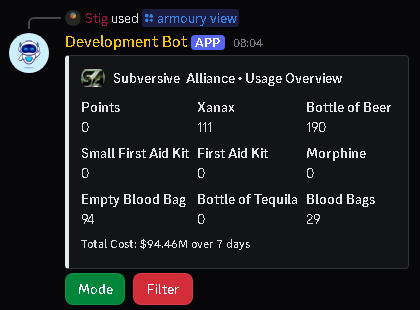
| Usage Overview | The default mode, shows usage values for various common items |
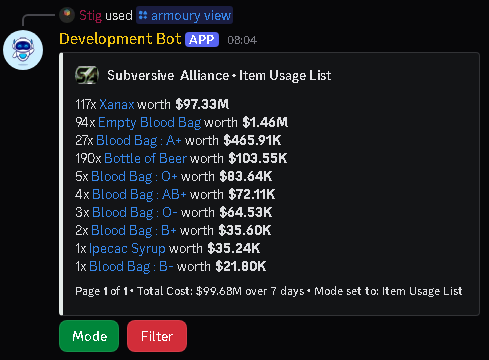
| Item Usage List | The role pinged with the request (ie banker role) |
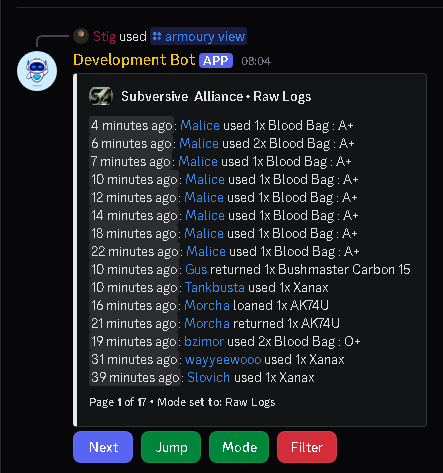
| Raw Logs | The number of minutes a request will sit as pending for |
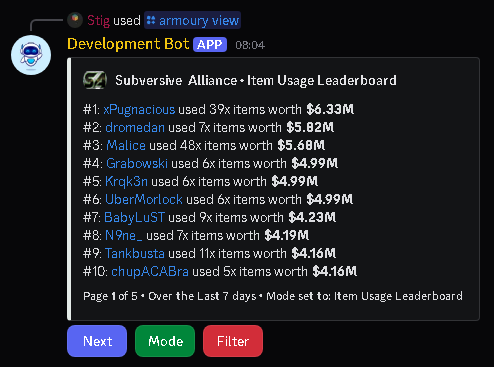
| Item Usage Overview | The number of minutes a banker is allowed to have claimed a request for |
Click to expand for examples of each mode
Armoury Usage Overview
Armoury Usage List
Armoury Raw Logs
Armoury Usage Leaderboard
Note
When changing mode from Usage List, item filters are removed.
Restrictions
- N/A
Filter Button
The filter button spawns another dropdown menu with the following options:
| Mode | Summary |
|---|---|
| Lookback Duration | Defaults to 7 days, extends the timeframe of usage being shown |
| Between Dates | Filters usage between two timestamps |
| By Faction Member | Filter usage for a specific faction member |
| By Specific Item | Filter usage for a specific item |
Lookback Duration
This filter asks you to type a duration in the current text channel.
Examples 1. 1d 12h 2. 36h 3. 1h 30m
Accepted Format
Multiple formats can be used, separated by spaces, for example: 1Y 1M 1d 10h 30m 5s
| Timeframe | Formatter |
|---|---|
| Year | y |
| Month | M |
| Week | w |
| Day | d |
| Hour | h |
| Minute | m |
| Second | s |
Restrictions
- N/A
Between Dates
This filter asks for you to type two datetimes into the current text channel:
- After date - The start place to view usage from, ie 01/01/2025
- Before Date - The end place to view usage up to, ie 10/01/2025
If you used the timestamps above, you would get all usage from 01/01/2025 through to 10/01/2025, from midnight to midnight.
Accepted Format
The datetime provided must follow an exact format, for example: 12:15:30 - 01/01/2025
HH:MM:SS - DD/MM/YY
Pagination Buttons
The following paginations are generic and are seen across most menus.
Previous
This button updates the embed to display the previous page of data.
If you are on the first page, this button is not visible
Next
This button updates the embed to display the next page of data.
If you are on the last page, this button is not visible
Jump
This button asks for a page number to skip to, and accepts whole numbers only.
If there are less than 5 pages, this button is not visible